Our Products
 Loans
Loans
 Cards
Cards
 Insurance
 Investment
 Stock Market
 Electronics Mall
 CIBIL Score
 Knowledge Centre
 Calculators
Our Services

 Do not call
 En
En
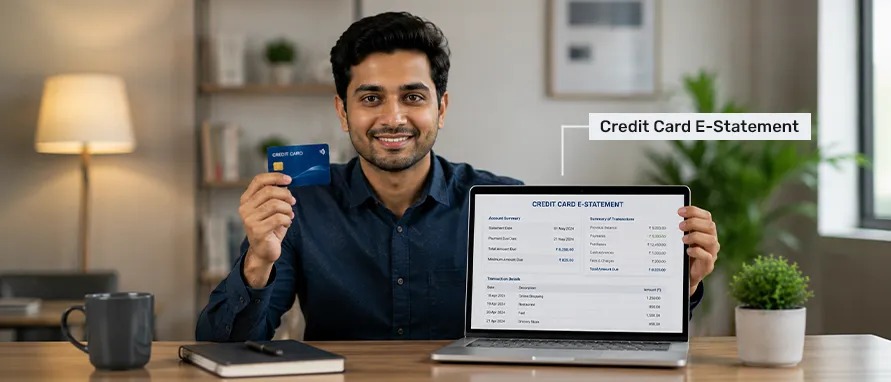
Table of Contents
Your credit card e-statement is a password-protected PDF delivered to your registered email every billing cycle — replacing the paper statement with an instant, searchable, and storable record. This page covers what a credit card e-statement is, how to get and download it across major banks, how to open it, and practical tips for managing it.
A credit card e-statement — short for electronic statement — is a digital version of the monthly billing summary that a bank sends to your registered email address at the end of each billing cycle. It contains the same information as a paper statement: all transactions for the period, the total amount due, the minimum amount due, the payment due date, reward points balance, finance charges, and any fees applied.
Unlike a paper statement, which is printed and dispatched by post, a credit card e statement is generated and delivered electronically. Most banks format these as password-protected PDF files to safeguard the personal and financial details they contain.
Every credit card e-statement typically includes the following components:
Banks in India deliver a credit card e-statement through multiple channels. The most common are the registered email, the bank's mobile app, and the net banking portal.
SBI Card sends the monthly credit card e statement to the cardholder's registered email address automatically on the billing date. To receive it, the email address on the account must be active and up to date. Cardholders can also log in to the SBI Card website or the YONO SBI app and navigate to the statements section to access past statements. SBI Card also sends an SMS on the billing date with the total amount due and the payment due date.
To request a physical statement, cardholders can call the SBI Card customer care or visit their nearest SBI branch. For online access to the credit card e-statement, the net banking portal allows download of statements going back up to 24 months.
For all major banks, the PDF download process through net banking follows a broadly similar flow. Here are the steps for each.
Alternatively, YONO SBI app users can go to Cards > Credit Card > Statement and download the relevant month's statement directly.
Opting for a credit card e statement over a physical paper copy offers several practical advantages.
All major banks password-protect their credit card e statement PDFs. The password format varies by bank and is usually a combination of the cardholder's personal details. If the bank's email specifies a password format, that takes precedence over the general formats listed below.
The standard password for opening an SBI Card e-statement is a combination of the first four letters of the cardholder's name (as registered with SBI Card) in capital letters, followed by the date of birth in DDMM format.
Format: First four letters of name (uppercase) + DDMM of date of birth Example: If the name is RAJESH and date of birth is 15 March 1990 → RAJE1503
Keeping your credit card e statement organised and accessible is a straightforward habit to build. The following practices help ensure you stay in control of your records.
Once you receive your credit card e-statement in your inbox, open the attachment, verify it opens correctly with the password, and save a copy to a designated folder on your device. A simple folder structure such as Credit Cards > [Bank Name] > [Year] makes retrieval easy. Saving each statement locally means you have access to it even when the bank's portal archives older ones or if you change email providers.
If you hold multiple credit cards across different banks, maintaining a clear filing system avoids confusion at billing time or during annual reviews. Create a parent folder for each bank, then subfolders by year, and label each PDF by month — for example, HDFC_CreditCard_March2025.pdf. This makes it straightforward to locate any specific statement when needed for a loan application, tax filing, or dispute resolution.
Rather than waiting for the monthly statement to review spends, logging into your bank's mobile app or net banking portal once a week allows you to spot unauthorised transactions quickly. A transaction can typically be disputed within a specified window after it appears on the statement, so early detection matters. Regular checks also help you track your monthly spending against your budget before the billing cycle closes.
Your credit card e statement is sent exclusively to the email address registered with the bank. If you change your primary email address, update it with each bank promptly — through net banking, the bank's mobile app, or by calling customer care — to ensure uninterrupted statement delivery. Missing a statement does not remove the obligation to pay the dues by the due date.
E-statements contain sensitive financial data, including transaction history, account numbers, and outstanding balances. Ensure that the device where you store your statements is password-protected and has up-to-date security software. Your email inbox should have two-factor authentication enabled. For long-term storage, cloud platforms with encryption or password-protected local folders are preferable to leaving PDF files in an unprotected downloads folder.
For those with multiple credit cards, a simple spreadsheet listing each card, its billing date, payment due date, and total due for the month can prevent missed payments. Update it each time you open a new credit card e-statement. This is especially useful for those whose billing dates across different cards fall at different points in the month.
You can download your credit card e statement in two ways. First, the statement is emailed to your registered email address on the billing date each month — open the attachment and save it as a PDF. Second, log in to your bank's net banking portal or mobile app, go to the Credit Cards or Statements section, select the relevant billing month, and download the PDF directly. Most banks allow access to statements for the past 12 to 24 months.
The password varies by bank. For SBI Card and ICICI Bank, it is typically the first four letters of your name (in capitals) followed by your date of birth in DDMM format. For HDFC Bank and Axis Bank, it is commonly the date of birth in DDMMYYYY format. The specific format is usually mentioned in the email body accompanying the statement. Always refer to the bank's email instructions if the standard format does not work.
Whether a credit card e-statement is accepted as valid address proof depends on the institution or authority requesting it. Many banks and financial institutions in India accept a credit card statement — whether paper or electronic — as proof of address, provided it is recent (typically within the last three months) and carries the cardholder's name and registered address. However, government bodies and some institutions may have specific requirements regarding the format and recency of documents. It is advisable to confirm with the requesting authority before submitting an e-statement as address proof.
The switch can be made through any of these channels: log in to your bank's net banking portal and look for a Paperless Statement or E-Statement opt-in option under Card Settings or Statement Preferences; use your bank's mobile app under card management settings; or call the bank's credit card customer care number and request the switch. Once the change is made, paper statements are typically stopped from the following billing cycle, and all future statements are delivered to your registered email address.


Most Viewed

Academy by Bajaj Markets

 47202
47202

Navigate the tax maze with ease! Uncover Income Tax 101, demystify jargon with Terms for Beginners, and choose between Old or New Regimes.
 165541
Unlock the world of credit! From picking the perfect card to savvy loan management, navigate wisely.
 97881
97881
Money Management and Financial Planning covers personal finance basics, setting goals, budgeting...
 28606
28606
Explore the investment cosmos! From beginner's guides to sharp-witted strategies, explore India's treasure trove of options.
 18764
18764
Discover essential insights on various types of insurance in India.
 4584
4584
Welcome to Tech in Finance, where we explore the exciting intersection of technology and finance...











 Academy