Our Products
 Loans
Loans
 Cards
Cards
 Insurance
 Investment
 Stock Market
 Electronics Mall
 CIBIL Score
 Knowledge Centre
 Calculators
Our Services

 Do not call
 En
En
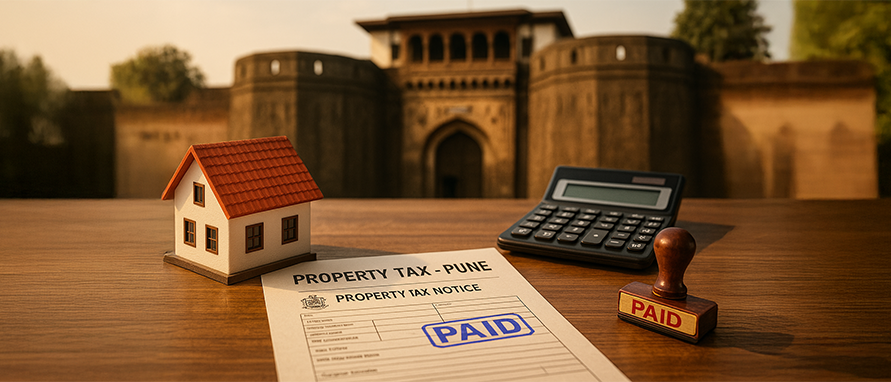
Property tax is one of the key revenue sources for local municipalities. The Pune Municipal Corporation (PMC), which has been serving the city since 1950, is responsible for assessing and collecting taxes on residential, commercial, and industrial properties in the city. Such a tax is also referred to as ‘house tax’, levied on real estate owners to maintain the quality of public facilities in the area.
Understanding how to pay property tax online or offline, check bills, and the penalties associated with unpaid taxes is crucial for property owners. Here’s all you need to know about PMC Property Tax in Pune.
Property tax in Pune is levied by the PMC on properties across the city. The tax is calculated based on the property's market value, its size, and its usage (residential, commercial, or industrial). The revenue collected from property taxes is used by the municipal corporation for city maintenance, development projects, and public services such as sanitation, infrastructure, and street lighting.
The PMC Property ID or Account Number is a unique alphanumeric identifier assigned by the Pune Municipal Corporation to every registered property in Pune. This ID is essential for tracking ownership details, property specifications, and tax histories. Homeowners need to provide this identifier to check their tax bills online, calculate liabilities, and make secure digital or counter-based property tax payments. If forgotten, owners can also use their registered mobile number on the official PMC portal to retrieve their property details.
The calculation of PMC property tax is based on a variety of factors, including the property’s area, its usage, and its market value. The property tax is calculated as a percentage of the actual capital value of the property, which is determined using the ready reckoner rates issued by the revenue department to calculate stamp duty.
The formula for calculating property tax is:
Property Tax = Tax Rate × Capital Value
The Capital Value is calculated as:
Capital Value = Base Value × Built-up Area × Usage Factor × Building Type Factor × Age Factor × Floor Factor
The rates and other factors such as property age and location also affect the calculation. For instance, residential properties have a different rate than commercial properties. To make this process seamless, PMC allows its users to calculate their estimated property tax online through the official portal by simply entering information such as the locality, area, usage, property type, total plinth area, and age of the property.
Proof of Clean Title and Ownership: Up-to-date PMC property tax receipts serve as legal evidence that you are the rightful owner of the property and that the title is clear of any ownership disputes.
Verification of Legal Construction: Financial institutions use tax records to verify that the property is registered with the Pune Municipal Corporation and is not flagged as an illegal or unauthorized construction.
No Outstanding Financial Liabilities: Lenders require current property tax receipts to ensure there are no unpaid municipal dues or outstanding tax liens on the property, which could otherwise complicate the collateral security.
Assessment of Market Value: Property tax bills contain details like the built-up area, age, and locality factor, helping bank technical verifiers cross-check and validate the property's actual market valuation.
The property tax rates levied by the Pune Municipal Corporation (PMC) depend primarily on the nature of the property, its usage, and its location zone. Property owners can refer to the baseline rates per square foot outlined below:
| Property Type | PMC Estimated Tax Rate (Per Sq. Ft.) | Key Factors |
|---|---|---|
Residential (Self-Occupied) |
₹2 – ₹6 |
Varies based on the assigned location zone |
Residential (Rented) |
₹4 – ₹12 |
Varies based on the assigned location zone |
Commercial (Shops, Cafes, Offices) |
₹10 – ₹25 |
Based on specific business activity and location |
Industrial (Factories, Workshops) |
₹8 – ₹20 |
Based on industry type and location |
Vacant Land |
Custom Assessment |
Determined by total market value and land usage |
Note: These baseline rates are used alongside capital value factors (such as construction age, building type, and floor level) to compute the final tax liability.
Here’s how to check your property tax bill online on the official PMC property tax portal in a simple and quick manner:
Visit the Official PMC Property Tax Portal
Go directly to the official PMC property tax portal at https://propertytax.punecorporation.org/.
Select Property Tax Bill
Navigate to the 'Tax Bill' option available on the homepage services section.
Enter Your Property Details
Input your exact property identifiers: Property Type (select from O - Occupier, P - Peth, or F - Flat), Section ID, Peth ID, and Account No. Click on ‘Submit’ after you are done. The Name, Ward, Address, and Property Description will then be displayed under ‘Property Owner Details’.
Download or Print
Review your outstanding bill details displayed on the screen. You can then either download or print the tax bill for your records.
Note: The page will display the current year demand and any pending balance amounts above the payment entry fields where you can optionally fill in your contact information to proceed with online settlement.
If you prefer offline payments, you can pay property tax at designated PMC collection centres. Here's how:
Visit a Designated Payment Centre: Find a nearby PMC office or a collection centre.
Submit Property Details: Provide your property ID or PIN (Property Identification Number) to the official at the centre.
Pay the Tax: You can pay via cheque, cash, or demand draft.
Obtain Receipt: Once the payment is processed, ensure you get a receipt for your payment.
Once you have paid your property tax, you can easily obtain your receipt online or offline.
Online Receipt
After completing the online payment, a receipt will be automatically generated. You can download it directly from the portal.
Offline Receipt
For offline payments, ensure you get a physical receipt at the payment counter.
This receipt serves as proof of payment and is essential for future tax-related queries or when applying for loans or selling the property.
A No Dues Certificate or No Objection Certificate (NOC) from the PMC certifies that you have cleared all municipal property tax liabilities. This is an essential document during property sales, title transfers, and bank home loan approvals.
Here is the quick step-by-step process to download your NOC online:
Visit the Official Portal: Go directly to the official PMC Property Tax website at https://propertytax.punecorporation.org/.
Select the NOC Link: Click on the "NOC / Get NOC" option visible on the main dashboard of services.
Verify Property Dues: Input your unique Property Type, Section ID, Peth ID, and Account Number. The system will cross-verify your identity and show if any outstanding balances remain.
Instant Generation: If all dues are completely paid up to the current assessment cycle, the portal will instantly generate your digital "No Dues Certificate".
Receive and Download: You can download the PDF document directly from the page or check your registered email inbox, where a copy is automatically sent.
Note: If there are any pending arrears or un-cleared cheque balances, you must clear those payments first before the system activates the online NOC download button.
Property owners who have not yet been registered or taxed by the Pune Municipal Corporation must file an application for assessment. PMC allows users to estimate their dues via an online calculator or formally submit a Form PT-1 for self-assessment.
Here are the steps to perform a self-assessment and register your property:
Visit the Portal: Open the official PMC property tax portal at https://propertytax.punecorporation.org/.
Access the Tool: Click on the "Self Assessment" or "Tax Calculator" link on the main menu.
Fill Property Attributes: Select your exact Location (locality), Property Type (Resident, Non-Resident, Open Plot, or Mixed), and Property Sub-Type (Flat, Individual House, Shop, Office, etc.).
Input Building Data: Select the assessment type (e.g., New Assessment, Change of Use, or Additional Construction) and enter the exact built-up/carpet area in square feet, construction year, and building type.
Estimate Liability: Provide your mobile number and click calculate to view your approximate capital value and municipal tax breakdown.
When a property is bought, sold, or inherited in Pune, updating the owner's name in the municipal records is necessary to avoid legal complications. This process is officially known as Title Transfer or Property Mutation. It ensures that all future property tax demand notices, utility bills, and legal liabilities are officially registered under the current owner's name.
The application form for Title Transfer is known as Form PT-5.
Before initiating a title transfer application, the applicant must ensure that:
All outstanding property tax dues for the current and previous financial years are completely paid.
A valid Property Tax No Dues Certificate (NOC) is successfully generated from the portal.
Depending on the type of transfer, you must upload or submit scanned copies of the following documents (in PDF format):
Index II copy.
Latest paid Property Tax receipt.
Property Tax No Dues Certificate.
Original No Objection Certificate (NOC) from the Cooperative Housing Society.
Identity proof (Aadhaar Card / PAN Card) of both the buyer and seller.
Death certificate of the registered property owner.
Legal Heir Certificate or Succession Certificate issued by a competent court.
Certified copy of the registered Will (if applicable).
Consent/Release letters signed by all other legal heirs.
The Pune Municipal Corporation has digitized this workflow via the Right to Services (RTS) portal, making a physical visit to the ward office optional:
Once submitted, a municipal Peth Inspector and Divisional Inspector review the digital application. If no public or legal objections are raised, the PMC ward office updates the database within 15 to 45 working days. You can verify the successful update by re-downloading your updated property tax bill profile.
The PT-3 Form is a crucial document used by residential property owners in Pune to claim the 40% self-occupancy rebate on their municipal property tax. Originally introduced in 1970, this 40% discount on the general tax component was briefly withdrawn by the state government but has since been fully restored for self-occupied properties.
To avail of this concession, the property must be occupied strictly by the registered owner and not rented out. Property owners must submit the filled PT-3 Form along with supporting evidence such as a society No Objection Certificate (NOC) confirming self-occupancy, electricity bills, or a valid Aadhaar card reflecting the property address to their respective PMC ward office or via the official portal. Once verified and approved by the municipal inspectors, the 40% rebate is applied to the annual tax demand bill.
PMC offers several concessions and exemptions on property tax for eligible organisations. Some common exemptions include:
Institutional Properties
Properties owned by entities such as religious institutions or utilised mainly for rural and urban planning, may be exempt from paying property tax.
Public Charitable Institutions
Certain public charitable organisations or institutions are also eligible for exemptions.
It is advisable to check on the PMC’s official website for any new or specific exemptions applicable to your property.
Property tax in Pune must be paid semi-annually. The deadlines and terms for these instalments are strictly defined by the municipal corporation:
First Half-Year (1st April to 30th September): The final due date to make your payment is 31st May.
Second Half-Year (1st October to 31st March): The final due date to make your payment is 31st December.
A penalty fine of 2% per month is levied on the unpaid principal amount for delayed payments. This interest penalty starts accumulating from 1st July for the first half-year cycle and from 1st January for the second half-year cycle, continuing until the arrears are completely cleared.
If a property owner clears their entire annual property tax balance on or before 31st May, they become eligible for early payment rewards on their general tax component:
10% Discount: Available on the general tax if the property's annual rateable value is up to ₹25,000.
5% Discount: Available on the general tax if the property's annual rateable value is ₹25,001 or higher.
Eco-Friendly Property Rebate: Residential properties featuring active green initiatives receive concessions on their municipal tax (excluding water and government taxes). A 5% discount is granted for implementing one project, and a 10% discount is given for maintaining any two projects among solar water heating, vermiculture composting, or rainwater harvesting.
Paying PMC property tax is an important civic duty for property owners in Pune. With multiple payment options, including online and offline methods, the process is simple and transparent. Regular payment of property taxes helps improve the infrastructure and services in the city. Be sure to check your bills, understand the exemptions, and pay on time to avoid penalties.
To provide a quick and completely cashless mobile experience, the Pune Municipal Corporation offers municipal self-services directly through its official mobile application, PMC CARE (available for download on both the Google Play Store and the Apple App Store). Instead of accessing the web portal, property owners can use the app to instantly view their outstanding property tax dues, track current year bills, and clear arrears on the go using embedded payment gateways supporting UPI, net banking, and credit or debit cards. The application also acts as a secure storage space for past transaction summaries and lets users retrieve their unique Property ID utilizing their registered mobile number, eliminating the need to physically visit a Citizen Facilitation Centre (CFC) or local ward office.
While both bodies govern real estate taxes within the Pune metropolitan region, the Pune Municipal Corporation (PMC) regulates Pune city proper, whereas the Pimpri Chinchwad Municipal Corporation (PCMC) manages the neighboring industrial twin-city area.
The core operational and rule-based differences between the two municipal corporations include:
| Feature / Rule | Pune Municipal Corporation (PMC) | Pimpri Chinchwad Municipal Corporation (PCMC) |
|---|---|---|
Jurisdiction Area |
Pune City limits (e.g., Kothrud, Aundh, Hadapsar, Viman Nagar). |
Twin-city municipal limits (e.g., Pimpri, Chinchwad, Hinjewadi, Wakad, Nigdi). |
Official Portal |
|
|
Search Credentials Needed |
Property Type, Section ID and Account Number. |
Zone Number, Gat / Sector Number, and Property ID / Owner Name. |
First-Half Rebate Deadline |
31st May (Requires entire annual tax clearance). |
30th June (Encourages upfront annual payment). |
Early Bird Rebates |
10% discount on general tax for rateable values up to ₹25,000; 5% discount for values above ₹25,000. |
5% to 10% discount on general tax based on digital modes, early filing timelines, and specific criteria. |
Self-Occupancy Concession |
Up to 40% rebate on residential units upon verifying and submitting Form PT-3. |
Standard flat assessment rules apply based on structural metrics without a specific PT-3 40% rule. |
Eco-Friendly Property Bonus |
5% tax discount for keeping 1 eco-system; 10% tax discount for maintaining 2 green systems (Solar / Vermiculture / Rainwater). |
Offers variations of environmental rebates to incentivized residential complexes. |
Special Group Concessions |
Exempts properties officially designated for public worship or registered under the Charity Commissioner. |
50% concession for ex-servicemen, freedom fighters, and women owners; 40% rebate for persons with 40 % physical disabilities. |
Penalty Rate |
2% per month simple interest accumulating after specified deadlines. |
2% per month penalty on the unpaid principal amount after specified deadlines. |
PMC property tax is a charge levied by the Pune Municipal Corporation on all properties within Pune city for the purpose of municipal development and services.
Property tax payments in Pune are divided into two semi-annual installments. The due date for the first half-year (April 1st to September 30th) is 31st May, and the due date for the second half-year (October 1st to March 31st) is 31st December.
To register your property in Pune, visit the PMC office with the necessary documents, including your identity proof, property documents, and payment receipts, to complete the registration.
The last date to pay the first instalment of PMC property tax is 31st May, and for the second instalment, it is 31st December.
Failure to pay property tax on time in Pune will lead to a penalty fine of 2% per month charged on the outstanding dues (starting from 1st July for the first half-year and 1st January for the second half-year). Persistent non-payment or accumulating long-term arrears can result in severe legal actions, including the withholding of a No Dues Certificate (NOC), property attachment, sealing, or ultimate legal recovery proceedings by the PMC.
Lenders require PMC property tax receipts to confirm your legal ownership, verify that the property is authorized by the municipality, and ensure there are no unpaid tax dues or liens that could complicate the loan security.
You can find your property ID on any previous tax bill or payment receipt. Alternatively, you can search for it on the official PMC property tax website using your registered mobile number, or by entering your zone, and flat details.
The PT-3 form is the official application used by residential property owners in Pune to claim a 40% rebate on their general property tax. It acts as a formal declaration that the property is strictly self-occupied and not rented out.
Properties registered exclusively in a woman's name are eligible for a 50% concession on the general tax component, provided it is a residential property, fulfills self-occupancy norms, and has zero outstanding arrears.




 47202
47202

Navigate the tax maze with ease! Uncover Income Tax 101, demystify jargon with Terms for Beginners, and choose between Old or New Regimes.
 165541
Unlock the world of credit! From picking the perfect card to savvy loan management, navigate wisely.
 97881
97881
Money Management and Financial Planning covers personal finance basics, setting goals, budgeting...
 28606
28606
Explore the investment cosmos! From beginner's guides to sharp-witted strategies, explore India's treasure trove of options.
 18764
18764
Discover essential insights on various types of insurance in India.
 4584
4584
Welcome to Tech in Finance, where we explore the exciting intersection of technology and finance...












 Academy