Our Products
 Loans
Loans
 Cards
Cards
 Insurance
 Investment
 Stock Market
 Electronics Mall
 CIBIL Score
 Knowledge Centre
 Calculators
Our Services

 Do not call
 En
En
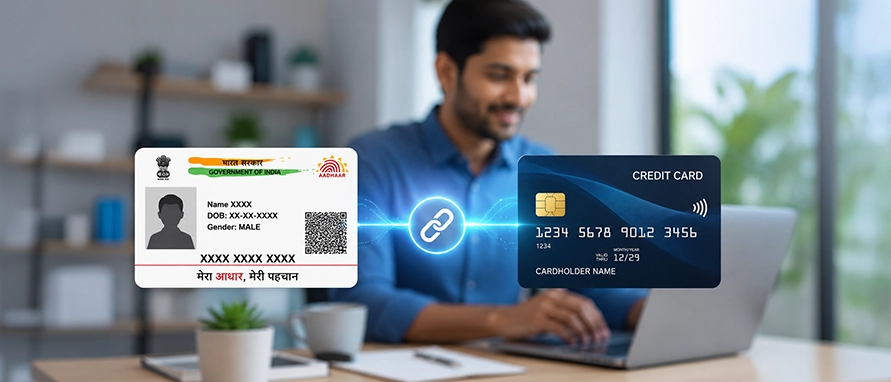
Table of Contents
Linking Aadhaar with your credit card is a simple process that ensures RBI KYC compliance and keeps your card services running without interruption. This guide covers every method — online, offline, and bank-wise — so you can complete linking Aadhaar with your credit card in minutes.
Aadhaar, issued by the Unique Identification Authority of India (UIDAI), is one of the most accepted and reliable KYC documents in India. When linked to your credit card, it allows the bank to verify your identity instantly through UIDAI's biometric database — no repeated paperwork required.
This matters most if your credit card is with a bank where you do not hold a Current or Savings Account (CASA). In that case, the bank may not have your full KYC on record, and linking Aadhaar addresses this gap directly.
It is also worth noting that UIDAI has introduced face recognition as an additional authentication method alongside fingerprints and iris scans — making Aadhaar-based verification even more accessible.
Key reasons to link Aadhaar with your credit card:
The answer has changed considerably due to a landmark Supreme Court ruling.
In 2018, the Supreme Court of India struck down Section 57 of the Aadhaar Act, which had previously allowed private entities — including banks — to make Aadhaar-based authentication compulsory. As a result, private banks can no longer legally require customers to link Aadhaar with their credit cards.
That said, the RBI's KYC framework continues to require banks to hold verified identity records for all credit card accounts. In 2019, the government amended the Prevention of Money Laundering Act (PMLA) to permit customers to voluntarily use Aadhaar as a valid KYC document with banks and financial institutions.
Most major banks allow you to complete the Aadhaar linking process entirely online — through net banking, a mobile app, or the bank's website.
Please note: The steps may vary from one financial institution to another.
Prefer an in-person or phone-based approach? Linking Aadhaar with your credit card offline is just as straightforward.
Visit your nearest bank branch with the original Aadhaar card and a self-attested photocopy.
Ask for an Aadhaar Seeding Form.
Fill in your Aadhaar number and credit card details accurately.
Sign the form and submit it with your Aadhaar photocopy.
The branch official will verify the original and process your request.
You will receive an SMS on your registered mobile once linking is done.
Call your bank's 24×7 customer care number from your registered mobile number.
Navigate the IVR and select 'Aadhaar Seeding'.
Enter your 12-digit Aadhaar number when prompted, then re-enter to confirm.
Provide your credit card number if asked.
You will receive an SMS confirmation upon successful verification.
Use your bank's SMS banking service.
Type your Aadhaar number and credit card number in the bank's prescribed format.
Send the SMS to the designated number (check your bank's website or call customer care for the exact format and shortcode).
A confirmation SMS will be sent once details are verified and linking is complete.
Download the Aadhaar Seeding Form from your bank's website, or collect one at the branch.
Fill in your Aadhaar number, credit card number, and personal details.
Attach a self-attested photocopy of your Aadhaar.
Post it to the address specified by your bank.
If you do not receive SMS confirmation within 7–10 working days, follow up with customer care.
At Branch:
Visit the nearest SBI Card branch with your Aadhaar (original and photocopy)
Request an Aadhaar Registration Form
Fill in your Aadhaar and SBI credit card details, sign, and submit
The branch official will process the request and send an SMS confirmation
Via Customer Care:
Call SBI Credit Card customer care at 1800 180 1290 from your registered mobile
Select Aadhaar Seeding on the IVR
Enter your 12-digit Aadhaar number twice, then your credit card number when prompted
Await SMS confirmation
You need very few documents for this process:
| Document | Purpose |
|---|---|
Aadhaar card |
Original for branch visits; self-attested photocopy for submission. Use UIDAI's masked Aadhaar (showing only the last four digits) where possible. |
Credit card details |
Your 16-digit credit card number — available on the card itself or your monthly statement. |
Registered mobile number |
Must be linked to both your Aadhaar and bank account to receive OTPs and SMS confirmations. Without this, online and IVR-based linking cannot be completed. |
Aadhaar Seeding Form |
Required only for branch and postal linking; download from the bank's website or collect at the branch. |
The benefits of linking Aadhaar with your credit card extend well beyond ticking a compliance box:
Never Share Your OTP: No real bank official or government agent will ever ask for your Aadhaar OTP.
Use Official Channels Only: Only link through your bank’s verified app, website, or physical branch—never via third-party links.
Verify the URL: Ensure the website address starts with https:// and uses the bank's exact domain to avoid look-alike phishing scams.
Ignore Unsolicited Calls: Hang up immediately on anyone calling to demand your Aadhaar, bank account, or card details.
Use Your Registered Mobile: SMS or IVR-based linking must be done from the phone number linked to your bank account.
Submit a Masked Aadhaar: When sharing physical photocopies, use a "Masked Aadhaar" from the UIDAI portal to hide your full number.
Save Confirmation Texts: Keep the final confirmation SMS as proof that your linking was successful.
Log in to your bank's net banking portal or mobile app, go to 'Aadhaar Seeding' under Services, enter your 12-digit Aadhaar number, and verify via OTP sent to your Aadhaar-registered mobile. An SMS confirmation is sent once linking is successful.
Visit the nearest SBI branch with your Aadhaar, or call SBI customer care at 1800 180 1290. On the IVR, select Aadhaar Seeding, enter your Aadhaar and credit card details, and you will receive SMS confirmation once done.
Yes. Send your Aadhaar number and credit card number in your bank's prescribed SMS format to the designated number. Check the bank's website or call customer care for the exact format and shortcode.
It enables instant KYC verification, Aadhaar OTP authentication, faster transaction processing, simpler re-KYC, reduced paperwork, and stronger biometric security — all in one step.


Most Viewed

Academy by Bajaj Markets

 47203
47203

Navigate the tax maze with ease! Uncover Income Tax 101, demystify jargon with Terms for Beginners, and choose between Old or New Regimes.
 165541
Unlock the world of credit! From picking the perfect card to savvy loan management, navigate wisely.
 97884
97884
Money Management and Financial Planning covers personal finance basics, setting goals, budgeting...
 28606
28606
Explore the investment cosmos! From beginner's guides to sharp-witted strategies, explore India's treasure trove of options.
 18764
18764
Discover essential insights on various types of insurance in India.
 4584
4584
Welcome to Tech in Finance, where we explore the exciting intersection of technology and finance...












 Academy