Our Products
 Loans
Loans
 Cards
Cards
 Insurance
 Investment
 Stock Market
 Electronics Mall
 CIBIL Score
 Knowledge Centre
 Calculators
Our Services

 Do not call
 En
En
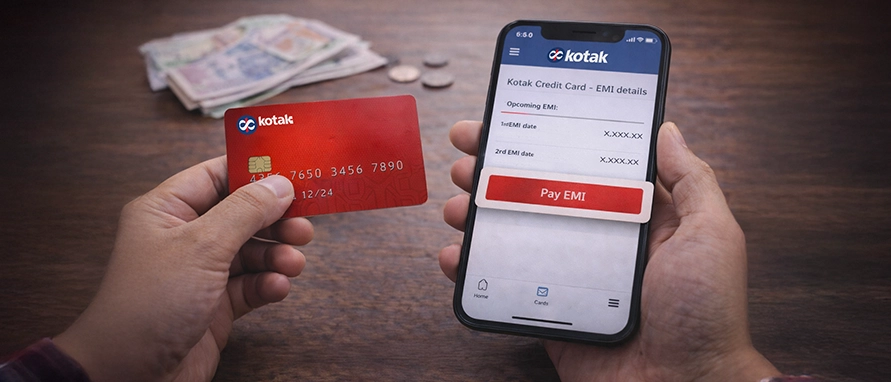
Table of Contents
Managing large credit card spends becomes more structured when you convert eligible transactions into EMIs and repay them over a fixed tenure. This guide focuses on how EMI conversion works on a Kotak Credit Card, how to track active instalments, and how to pay Kotak Credit Card EMI correctly to avoid billing issues, penalties, or disruption to your credit limit.
You can convert eligible credit card transactions into EMIs only through Kotak Mahindra Bank’s authorised banking channels. The conversion happens after the transaction reflects in your credit card account and meets the bank’s internal eligibility criteria.
Kotak allows EMI conversion through its own digital banking interfaces and customer support, ensuring the process remains issuer-controlled and statement-linked.
Follow these steps to know how to make EMIs on Kotak Credit Card:
Log in to the Kotak mobile banking app or the Kotak net banking portal
Open your credit card account and view recent transactions
Select an eligible transaction and choose the EMI conversion option
Pick a suitable tenure after reviewing applicable charges
Confirm the request and wait for conversion confirmation
Alternatively, you can request conversion by contacting Kotak customer care on 1860 266 2666 after the transaction is updated on your account.
Once the conversion process is complete, tracking EMI status helps you manage monthly repayments accurately. EMI information remains part of your credit card account records and monthly statements.
You can view EMI details through your account dashboard or statement summary. This method answers how to check EMI details for Kotak Credit Card usage without contacting support.
| EMI Detail Type | Where You Can Find It |
|---|---|
Active EMI count |
Credit card account overview |
Outstanding amount |
Monthly statement summary |
Remaining tenure |
EMI schedule section |
Monthly instalment |
Billing breakdown |
Regular review helps ensure instalments are posted correctly and reflected in your total payable amount.
EMI repayments form part of your monthly credit card bill rather than operating as a separate obligation. When the statement is generated, the EMI amount adds automatically to your total due.
To understand ‘how to pay a Kotak Credit Card EMI’ correctly, you should focus on paying the full statement amount by the due date. Partial payments may attract charges and disrupt the EMI schedule.
Steps to complete EMI payment through your card bill:
Check the total statement balance, including the EMI amount
Choose a preferred payment method
Pay before the due date to avoid penalties
Retain confirmation for future reference
This approach ensures EMI continuity and protects your credit standing.
To understand how to pay a Kotak Credit Card EMI correctly, you should know that EMI dues are cleared through the same payment modes used for your monthly credit card bill. The available payment modes include:
Selecting a consistent method reduces missed payments and billing errors.
EMI conversion and repayment attract specific costs that depend on card terms and tenure selection. These charges apply regardless of the conversion channel used.
Cost components include:
Rates and fees may change over time. Always verify terms at the time of conversion.
Missing an EMI does not pause the repayment cycle. Instead, the unpaid amount rolls into the outstanding balance and attracts penalties.
A missed payment affects both cost and credit profile, making timely repayment essential.
| Impact Area | Outcome |
|---|---|
Late fee |
Charged as per card terms |
Interest |
Continues on the unpaid balance |
Credit score |
Negative reporting to bureaus |
EMI schedule |
Continues without reset |
Repeated delays can restrict future EMI eligibility.
Knowing how to pay Kotak Credit Card EMIs on time helps you avoid defaults, interest accumulation, and disruption to your credit limit. A few practical management tips are:
These habits improve repayment discipline and long-term credit health.
Yes, the EMI amount forms part of the total statement balance every month. You must clear the full bill amount to keep the EMI schedule uninterrupted.
The unpaid EMI attracts late fees and additional interest. It may also negatively affect your credit score if reported.
You can use net banking, UPI, debit cards, or auto-debit instructions to clear EMI dues through the card statement.
Yes, the converted amount reduces your available credit limit until the EMI completes.
No, EMI payments cannot be isolated. You must pay the full statement amount for proper adjustment.


Most Viewed

Academy by Bajaj Markets

 47202
47202

Navigate the tax maze with ease! Uncover Income Tax 101, demystify jargon with Terms for Beginners, and choose between Old or New Regimes.
 165541
Unlock the world of credit! From picking the perfect card to savvy loan management, navigate wisely.
 97881
97881
Money Management and Financial Planning covers personal finance basics, setting goals, budgeting...
 28606
28606
Explore the investment cosmos! From beginner's guides to sharp-witted strategies, explore India's treasure trove of options.
 18764
18764
Discover essential insights on various types of insurance in India.
 4584
4584
Welcome to Tech in Finance, where we explore the exciting intersection of technology and finance...












 Academy