Our Products
 Loans
Loans
 Cards
Cards
 Insurance
 Investment
 Stock Market
 Electronics Mall
 CIBIL Score
 Knowledge Centre
 Calculators
Our Services

 Do not call
 En
En
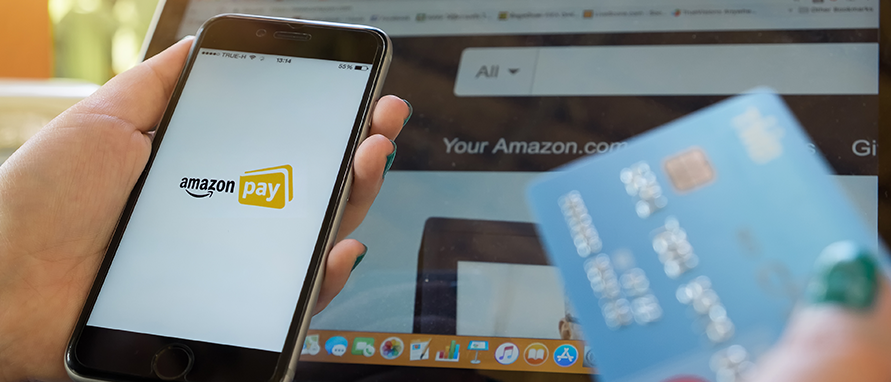
Amazon Pay is a versatile digital wallet and payment service offered by Amazon India for online transactions, bill payments, recharges, and more. It allows users to store money in Amazon Pay Balance, funded through UPI, cards, or net banking, and use it across Amazon shopping and partner merchants. For Indian customers, it supports everyday needs like Amazon Pay bill payment for utilities, credit cards, and mobile recharges directly from the Amazon app. This makes it a convenient option for managing finances without switching apps, including credit card bill payment through Amazon Pay for seamless expense management.
Yes, Amazon Pay enables credit card bill payment through Amazon Pay for many popular credit card issuers in India. It supports most major banks and credit cards, allowing users to fetch outstanding dues and pay instantly. The process is simple: select the biller, enter card details, and complete the payment using your preferred method such as Amazon Pay Balance, UPI, or net banking.
This feature helps customers avoid late payment penalties and may also qualify for promotional cashback offers. As per Amazon’s guidelines, all transactions are processed securely, with instant confirmation provided for most payments. This makes Amazon Pay a reliable and convenient option for managing monthly credit card obligations directly within the Amazon app.
Use these Amazon Pay credit card bill payment steps in the app to settle your dues quickly and securely.
Step 1: Open the Amazon App and Go to Amazon Pay
Launch the Amazon shopping app on your smartphone and ensure you are logged into your account. From the home screen, tap the Amazon Pay icon at the bottom or navigate to the menu.
Step 2: Select 'Credit Card Bill Payment'
In the Amazon Pay dashboard, look for the 'Pay Bills' or 'Bills & Recharges' section. Select 'Credit Card Bill Payment' from the available categories to start the process.
Step 3: Choose Your Credit Card Issuer
Pick your card's issuing bank from the list of supported options, such as ICICI Bank, HDFC Bank, or State Bank of India. The app displays only eligible issuers; confirm your bank is listed before proceeding.
Step 4: Enter Card Details and Bill Amount
Input your 16-digit credit card number, expiry date, and the amount—either minimum due, total outstanding, or custom. The app may auto-fetch your latest bill details for accuracy; verify before moving ahead.
Step 5: Choose Payment Method and Confirm Payment
Select from options like Amazon Pay Balance (for how to pay credit card bill through Amazon Pay balance), UPI, debit card, or net banking, then review the summary. Apply any cashback offers if available and tap 'Pay Now' to complete with instant reference number.
Amazon Pay provides multiple flexible options to fund your credit card bill payment, suiting different user preferences.
Amazon Pay Balance lets you preload funds using UPI or cards, making it a convenient option for paying bills without repeated verifications. Paying credit card bills via Amazon Pay Balance ensures smooth transactions for regular users, with easy top-ups available anytime to skip bank OTP delays. This approach works perfectly for hassle-free payments.
UPI enables direct bank transfers using your UPI ID or phone number linked to apps like Google Pay or PhonePe. It supports high limits for large bills and often includes promotional rewards. Transactions confirm in seconds with strong security features.
Debit cards from Visa, Mastercard, RuPay, and others allow one-tap payments after entering details. Save them for faster future use, though each payment needs CVV for safety. Suitable for those without UPI setup.
Net banking covers over 150 Indian banks for direct deductions from savings accounts. Works well for high-value payments with immediate transaction ID confirmation upon success.
Paying your credit card bill through Amazon Pay offers several advantages, ranging from immediate financial rewards to simplified bill management.
Amazon Pay typically charges no convenience fee for Amazon Pay credit card payment using most methods like UPI or Amazon Pay Balance. However, payments via certain credit cards might attract a convenience fee. This can be around 1-2% or fixed amounts like ₹99-₹299 plus GST, depending on the issuer and bill size.
Always review the fee summary on the payment page before confirming. Your credit card issuer's late payment charges (₹100 to ₹1,300 based on outstanding) apply if payment posts after the due date, irrespective of method. GST on any platform fee, if applicable, is shown transparently. Contact Amazon support if unexpected charges appear on your bill.
Transaction Type |
Typical Fee Range |
Notes |
UPI / Amazon Pay Balance |
No convenience fee |
Most common and free option |
Certain credit card payments |
1–2% of bill amount |
Depends on issuer and transaction size |
Fixed fee (issuer-specific) |
₹99–₹299 + GST |
Applied by some banks for large bill payments |
Late payment charges (issuer policy) |
₹100–₹1,300 |
Levied by credit card issuer if payment posts after due date |
GST on platform fee |
As per prevailing rates |
Shown transparently on payment summary |
Disclaimer: Fees are indicative and subject to change based on bank policies, transaction size, and current regulations as of May 2026. Always verify charges on the payment platform before proceeding.
To check your credit card bill payment status on Amazon Pay, you can use the Amazon app or website. Status updates are usually confirmed via SMS and email once the payment is successful.
Consistent on-time payments via Amazon Pay can help manage credit utilisation effectively.
Yes, you can. Amazon Pay supports major banks including SBI and Kotak, among others. Here’s how to pay a credit card bill through Amazon Pay: simply select your card issuer, enter details, and complete the payment using UPI, net banking, or Amazon Pay Balance.
Yes, but note that it’s the Amazon Pay Balance (digital wallet) that can be used, not just your shopping account balance. Here’s how to pay a credit card bill through Amazon Pay Balance: choose Amazon Pay Balance as the payment method during checkout.
Amazon Pay Later is primarily designed for purchases on Amazon. While you may explore how to pay credit card bills through Amazon Pay Later, note that bill payments from Pay Later may have restrictions depending on issuer and Amazon’s policies.
You can use Amazon Pay Balance, UPI, debit card, or net banking. Each option is secure and convenient for credit card bill payment through Amazon Pay.
The minimum payment is typically ₹1, while the maximum is usually ₹1 Lakh per transaction. Limits may vary depending on the payment method and bank policies.
Yes. Amazon Pay is an RBI-regulated payment platform. It uses two-factor authentication (2FA), encrypted transactions, and offers dispute resolution to ensure secure payments.
Open Amazon Pay in the app.
Select Credit Card Bill Payment.
Choose Amazon Pay Balance as the payment method and confirm.
Most major bank credit cards are supported, including SBI and Kotak (BFM partner cards). This makes credit card bill payment through Amazon Pay accessible for a wide range of issuers.



Academy by Bajaj Markets

 47202
47202

Navigate the tax maze with ease! Uncover Income Tax 101, demystify jargon with Terms for Beginners, and choose between Old or New Regimes.
 165541
Unlock the world of credit! From picking the perfect card to savvy loan management, navigate wisely.
 97881
97881
Money Management and Financial Planning covers personal finance basics, setting goals, budgeting...
 28606
28606
Explore the investment cosmos! From beginner's guides to sharp-witted strategies, explore India's treasure trove of options.
 18764
18764
Discover essential insights on various types of insurance in India.
 4584
4584
Welcome to Tech in Finance, where we explore the exciting intersection of technology and finance...












 Academy