
Our Products
 Loans
Loans
 Cards
Cards
 Insurance
 Investment
 Stock Market
 Electronics Mall
 CIBIL Score
 Knowledge Centre
 Calculators
Our Services

 Do not call
 En
En
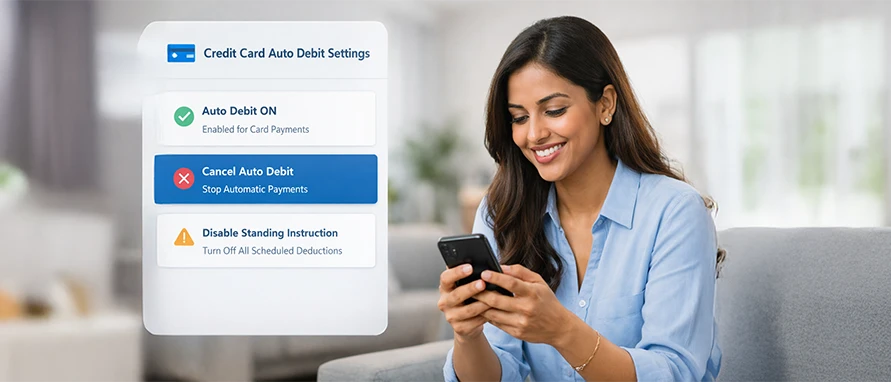
Table of Contents
Understand what auto debit means for your Kotak Mahindra Bank credit card, why you may choose to cancel it, and the exact online and offline steps involved. You will also learn about processing timelines, possible issues, and how to manage payments safely after cancellation.
Auto debit on a credit card allows recurring payments to be deducted automatically on the due date. With Kotak Mahindra Bank credit card auto debit, your card bill or subscription charges are paid without manual action. This helps avoid missed payments.
However, you may sometimes need to review how to cancel an auto debit from Kotak Mahindra Bank credit card if your financial situation changes. You may also want to switch payment modes or close a linked bank account.
The bank provides both online and offline options for Kotak Mahindra Bank credit card auto debit cancellation. Each method has specific steps and processing timelines.
Auto debit is convenient, but it may not suit everyone at all times. You might consider cancelling it for the following reasons:
You may prefer manual payments instead of automatic deductions. Some users feel more comfortable reviewing the statement before paying.
Auto debit deducts funds on a fixed date. If your salary credit date changes, automatic deductions may affect your balance. Cancelling helps you plan payments around your income cycle.
If your card bill is linked to a savings account that you plan to close, you may need to cancel the auto debit Kotak Mahindra Bank credit card setup first.
If you are unsure about available balance, stopping auto debit prevents accidental payment failures or penalties due to insufficient funds.
Some users pause automatic payments for a short period to manage large expenses. In such cases, understanding how to remove auto debit from Kotak Mahindra Bank credit card becomes necessary.
Before proceeding, ensure you are ready to make payments manually. Missing the due date can attract late fees and interest as per the bank’s credit card terms and conditions.
Kotak Mahindra Bank allows you to manage auto debit through its digital platforms. You can use Net Banking, Mobile Banking, or the e-Mandate dashboard.
The exact steps depend on whether you are cancelling a credit card bill auto debit or a merchant subscription mandate.
If you want to stop a scheduled payment for a particular month:
Open the mobile banking app
Go to Payments
Select BillPay/Recharge
Tap on Pay Due Bills
Select View Scheduled Payments
Tap Delete against the scheduled bill
This option helps if you are looking for how to stop auto debit from Kotak Mahindra Bank credit card for a specific billing cycle.
Log in to Net Banking
Go to More
Select Bill Pay/Recharge
Click on My Bills
Choose View/Delete Schedule Payments
Click Delete against the scheduled bill
If you are searching for how to stop auto pay in Kotak Mahindra Bank credit card, especially for subscriptions, follow these steps:
Log in to your e-Mandate dashboard
Go to Merchant e-Mandates Summary
Locate the subscription you wish to cancel
Click Cancel
Enter cancellation remarks
Confirm the request
Enter the OTP sent to your registered mobile number
Wait for on-screen confirmation and SMS notification
You can also click ‘View Inactive e-Mandate’ to verify cancelled mandates.
If you are not comfortable using digital banking, you can stop auto debit through offline methods. This is useful if you face technical issues or prefer speaking to a representative.
You can call Kotak Mahindra Bank customer care using the number printed on the back of your credit card.
Explain clearly that you want to stop the auto debit facility on your credit card. The executive may verify your identity using OTP or personal details.
You may be asked to confirm whether you want to cancel the standing instruction for bill payment or a merchant mandate. Ensure you understand the difference before confirming.
After the request is processed, ask for a service request number. Keep it for future reference.
You may also visit the nearest branch of Kotak Mahindra Bank.
Carry your credit card and a valid identity proof. Inform the bank official that you want to stop the auto debit instruction linked to your card.
You may need to submit a written request. In some cases, a cancellation form must be signed.
Always request written acknowledgement or SMS confirmation of the request.
Offline methods are helpful if your online cancellation is pending or unclear. However, digital methods are usually processed faster.
The time taken depends on the type of auto debit and when the request is placed.
If you delete a scheduled payment before the processing date, cancellation is usually immediate in the system.
However, if the request is made close to the due date, the debit may still be processed. Banks generally advise placing cancellation requests at least a few working days before the scheduled deduction date.
For subscription mandates cancelled through the dashboard, confirmation is usually shown instantly after OTP verification.
Despite system confirmation, the merchant may take a short processing time to update their records. If the cancellation is done very close to the billing cycle, the next charge may still appear.
Once auto debit is cancelled, your credit card bill will no longer be paid automatically. You must make payments manually before the due date.
The bank will continue to generate monthly statements as usual. You will receive SMS and email alerts about the outstanding amount and due date.
If you miss the payment deadline, late payment charges and interest may apply as per the credit card terms and conditions. Your credit score may also be affected if payments are delayed beyond the reporting period.
If you cancel only a merchant e-mandate, future subscription charges will stop. However, any pending dues with the merchant must be cleared separately.
It is advisable to check your next statement after cancellation. This helps confirm that no further automatic deductions are active.
Most cancellations are processed smoothly. However, certain issues may arise. Such as:
If you place the request very near the billing date, the debit may still be processed. Banks require time to update standing instructions.
In subscription cases, the merchant may process the payment if the cancellation request was made after the billing cut-off date. Always verify the cancellation confirmation SMS.
If the debit continues despite confirmation, contact customer care and raise a complaint with transaction details.
Sometimes OTP verification may fail due to network issues. In such cases, retry the process or use another channel such as Net Banking.
Credit card bill auto debit and merchant e-mandates are separate instructions. Cancelling one does not automatically cancel the other.
If you notice an unauthorised or disputed autopay charge on your statement, report it immediately through the bank’s help centre or mobile app dispute section. Provide full transaction details and the reason for dispute.
After cancelling auto debit, you must manage payments actively. A simple system can help you avoid late fees and interest.
Check your monthly credit card statement as soon as it is generated. Note the total amount due and the payment deadline.
You may mark the due date in your calendar. Setting a reminder two to three days before the due date helps avoid last-minute stress.
Ensure your registered mobile number and email ID are updated with the bank. You will receive alerts for:
Statement generation
Upcoming payment reminders
Successful or failed transactions
Changes to mandates or subscriptions
These alerts help you stay informed after auto debit cancellation.
Even after stopping auto debit for your card bill, merchant subscriptions may remain active.
Log in to your e-mandate dashboard and review active mandates. Cancel unused services to prevent unnecessary charges.
If you plan to pay through Net Banking or UPI, ensure adequate funds are available before initiating payment.
Avoid waiting until the last day. Payment processing delays can sometimes occur due to technical reasons.
Check your statement each month for unfamiliar or duplicate charges. If you notice any disputed autopay transaction, report it immediately through the bank’s help centre or mobile app.
Managing payments manually requires discipline. However, it gives you better control over cash flow and spending.
If you delete a scheduled payment well before the due date, the cancellation usually reflects immediately in the system. However, changes made close to the due date may not stop the upcoming debit.
For merchant mandates, confirmation appears after OTP verification. Still, billing cycles may affect the next charge.
Cancelling auto debit does not affect your credit card account status. Your card remains active.
However, you must pay the bill manually on time. Missed payments can lead to late fees, interest charges, and possible impact on your credit history.
Yes. You can contact customer care and request cancellation of the standing instruction or e-mandate. Identity verification will be required.
Always ask for a service request number and confirmation message.
Yes. You can set up a new standing instruction or e-mandate through Net Banking, Mobile Banking, or branch assistance.
Ensure you understand the deduction date and linked account before reactivating.
Log in to Net Banking or the mobile app. Check scheduled bill payments and the e-mandate dashboard.
Active mandates and upcoming scheduled payments will be visible under the relevant section.
Banks generally do not levy a fee for cancelling standing instructions or e-mandates. However, policies may change over time.
You may review the latest credit card terms and conditions or confirm with customer care for updated information.


Most Viewed

Academy by Bajaj Markets

 47202
47202

Navigate the tax maze with ease! Uncover Income Tax 101, demystify jargon with Terms for Beginners, and choose between Old or New Regimes.
 165541
Unlock the world of credit! From picking the perfect card to savvy loan management, navigate wisely.
 97881
97881
Money Management and Financial Planning covers personal finance basics, setting goals, budgeting...
 28606
28606
Explore the investment cosmos! From beginner's guides to sharp-witted strategies, explore India's treasure trove of options.
 18764
18764
Discover essential insights on various types of insurance in India.
 4584
4584
Welcome to Tech in Finance, where we explore the exciting intersection of technology and finance...












 Academy




