Our Products
 Loans
Loans
 Cards
Cards
 Insurance
 Investment
 Stock Market
 Electronics Mall
 CIBIL Score
 Knowledge Centre
 Calculators
Our Services

 Do not call
 En
En
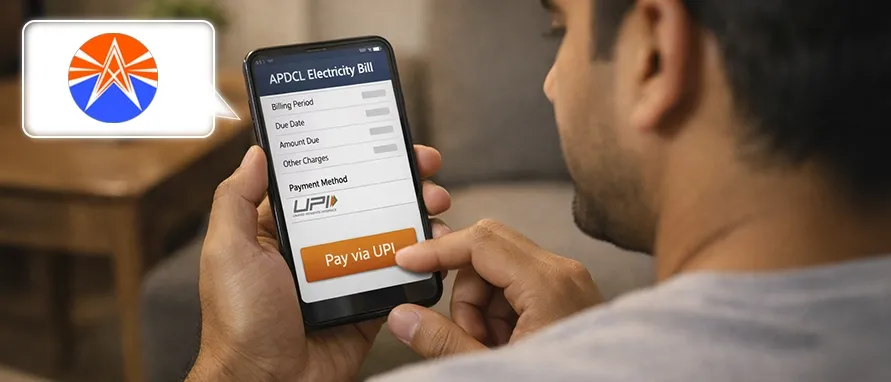
Table of Contents
The Assam Power Distribution Company Limited (APDCL) is the state electricity distribution utility operating across Assam. It was incorporated in 2009 following the unbundling of the erstwhile Assam State Electricity Board (ASEB). Headquartered at Bijulee Bhawan, Paltanabazar, Guwahati, APDCL caters to a massive consumer base of over 63 lakh+ consumers, managing power supply and distribution infrastructure throughout the state.
Electricity tariffs in Assam are structured across consumption categories and slabs, where charges scale according to total monthly consumption. For the economically vulnerable sections, the state provides heavily subsidised lifeline electricity plans. For example, under the Jeevan Dhara category, electricity is provided at a subsidised rate of ₹3.35/unit compared to its actual full cost of ₹5.34/unit.
The standard effective energy charges for domestic and commercial categories are outlined below:
| Consumer Category | Consumption Slab | Tariff Rate |
|---|---|---|
LT-I: Jeevan Dhara |
Up to 1.5 kWh per day |
₹3.35 per unit |
LT-II: Domestic - A |
0 to 120 units per month |
₹4.25 per unit |
LT-II: Domestic - A |
121 to 240 units per month |
₹6.30 per unit |
LT-II: Domestic - A |
241 to 300 units per month |
₹7.20 per unit |
LT-III: Domestic - B |
All units (Above 5kW to 30kW) |
₹7.45 per unit |
LT-IV: Commercial |
All units (Above 0.5kW to 30kW) |
₹7.90 per unit |
Disclaimer: Tariff rates are subject to revision by the competent authority from time to time. Please refer to the latest official APDCL tariff order for the most up-to-date information.
Delaying your electricity bill payments incurs additional expenses beyond your standard usage charges. APDCL levies a delayed payment surcharge or Late Payment Surcharge (LPSC) if the outstanding bill amount remains unpaid after the specified due date.
Electricity bills are the most essential ones to pay among all your amenities bills. They are often among the first bills you end up paying along with your telephone and water bills. Electricity bills are also helpful as they act as a proof of residence while filling out official applications or even for a bank loan.
If you are living in Assam, it is extremely easy to pay your electricity bills since you can do it online. The Assam Power Distribution Company Limited (APDCL) is committed to ensuring that consumers are able to pay their bills in a timely, efficient and seamless manner. As a result, APDCL bills can be paid online with minimal hassle.
There are several ways in which you can make the payment. You can opt for APDCL quick pay or even make an APDCL prepaid recharge to ensure your electricity usage payment is up to date. The process of an APDCL bill payment will hardly take you more than a few minutes.
The Unified Payment Interface (UPI) method has made a lot of payments much faster and easier to carry out. Today, your APDCL online bill and your ASEB online bill can both be paid quickly through UPI, which can end up saving you a lot of time.
To make a UPI payments, you only need to have a registered UPI ID and the UPI ID of the person or entity for whom the payment is intended. For instance, you will require details of the UPI ID that ASEB uses to receive bill payments.
Here is a step-by-step guide to show you how you can pay your electricity charges from APDCL online, using the UPI payment method:
Download the Bajaj Markets app from the app store. Use the Google Play store if you have an Android phone, or the iOS store if you have an iPhone.
Then, log into the app using your date of birth, mobile number and the OTP received.
Once you’re on the home page, click on the ‘Bill Pay’ button.
From the options you see, select ‘Electricity.’
Once that’s done, you’ll see a list of the electricity providers and billers from the country.
Scroll through the list or use the search box to select your electricity provider from the list. If you reside in Assam, your provider would be Assam Power Distribution Company Limited. You will see two options - Assam Power Distribution Company Limited (NON-RAPDR) and Assam Power Distribution Company Limited (RAPDR). Select the relevant option for your electricity connection.
Then, enter your consumer ID and click on the View Bill’ option to proceed. For instance, say your provider is Assam Power Distribution Company Limited (NON-RAPDR). This is how the screen will look.
You will then be able to see your bill status on the screen. You can also see a list of payment options too. Here’s a snapshot of what you may see.
If you wish to pay your APDCL bill online through UPI, select the relevant payment method and make your APDCL bill payment online.
If you are doing an APDCL recharge, you can make use of an APDCL voucher for easier payment. Once you have the APDCL prepaid meter recharge voucher, you can easily use your UPI ID to complete the transaction. You can also pay APDCL bills on Bajaj Markets, through the Bajaj Markets app, which is an even easier way to make sure your bills are paid each month.
Here are the many reasons to make your APDCL bill payment on Bajaj Markets.
You can easily keep track of your APDCL electricity bills with the Bajaj Markets app. This way, you can ensure that you don’t skip any payments.
You can pay your APDCL bill or recharge your APDCL prepaid voucher instantly through UPI from the Bajaj Markets app.
The Bajaj Markets app allows you to access your APDCL electricity bill and make the related payments round the clock, no matter where you are.
APDCL bill payment on Bajaj Markets also allows you to make use of the many APDCL bill payment offers available on the Bajaj Markets app.
The APDCL bill payments that you make through the Bajaj Markets app are all completely encrypted and secure.
Using the app to make a payment can prove useful even when you have an APDCL prepaid meter recharge voucher for paying your bill.
If you initiate a bill payment and your money is deducted from your bank account or wallet but the transaction status reflects as failed or unconfirmed, there is no reason to panic.
Payment Reconciliation Window:
Online transactions that fail mid-route generally trigger an automatic reconciliation process. If the funds do not reach APDCL, your bank will automatically reverse the full amount back into your account within 3 to 5 business days.
To address a payment discrepancy safely:
Aside from UPI and through the Bajaj Markets app, you can also choose to make the APDCL bill payment by debit card. You can head to the APDCL official website and opt to make the APDCL bill payment right through the website using your credit card.
You will require your APDCL login details to be able to access your customer details, bill amount and to make the payment. You can also download and use the APDCL app for a more seamless experience.
Check out the list of payment options available to you.
Payment Method |
Description |
Mobile Apps |
This is one of the easiest ways to make your APDCL bill payment. The Bajaj Markets app is one of the mobile apps you can use. |
BBPS (Bharat Bill Payment System) |
The BBPS was launched by the NPCI (National Payments Corp of India) and the RBI. You can make use of this portal to pay your APDCL bill. |
Net banking |
Internet banking is another easy way to make your electricity bill payment online. |
Mobile Wallet |
Mobile wallets make everything easy, and electricity bills are no exception. You can use these wallets to pay your APDCL bill. |
APDCL bill payment by debit card |
You can make your APDCL bill payment using your debit card, just like you make other payments. |
APDCL bill payment by credit card |
Just like debit cards, credit cards can also be used to make your APDCL bill payments. |
You can access the APDCL bill view from any device at any point of time. Primarily, there are two key ways to view APDCL bills. One way is to use the APDCL official website itself, and the other is to use the Bajaj Markets app.
Visit the official website of APDCL and click on the ‘View Electricity Bill’ option. Then, enter your consumer number to see your bill.
APDCL Home Page |
|
APDCL View Bill Portal |
|
APDCL Print Receipt Page |
Select the ‘Bill Pay’ option on the home screen, choose your electricity service provider and enter your consumer number to view your bill status.
If you experience unresolved technical bugs, faulty meter readouts, or bill discrepancies, you can connect with APDCL support desks across these dedicated assistance channels:
Service Type |
Contact Channel |
Details / Number |
Centralised Toll-Free |
Helpline Number |
1912 |
Out-of-State Support |
Landline Numbers |
0361-3126201 0361-2803200 |
WhatsApp Assistance |
Chat Support |
7575999666 |
Email Support |
Customer Care Email |
support@apdcl.org |
Digital Platforms |
Web & App |
Web: https://www.apdcl.org/ App: myBijulee App |
Disclaimer: APDCL's customer care numbers, email IDs, office addresses, and other contact details may be revised from time to time. Consumers should refer to the official APDCL website for the latest contact information.
You can contact APDCL customer care on 1800-425-155-333 if you are unable to locate your APDCL consumer number.
Head to the APDCL official website and head to the ‘Recharge and Bill Payment’ page where you can access your bill by clicking on “View my Electricity Bill.”
You can calculate your APDCL electricity bill by using the unit rate they charge for electricity and multiplying it with the number of units your household has consumed.
As soon as you make the payment, you will receive a receipt over email and to the mobile number registered with the APDCL. You can also get a receipt by heading to the APDCL official website and navigating to the appropriate section.
You can use the APDCL official website to check your electricity bill status. Alternatively, if you have paid the bill through the Bajaj Markets app, you will be able to find the bill status there easily.
There are several ways to reach out to the APDCL customer care. You will need your APDCL consumer number when you reach out to APDCL customer care. The APDCL contact number is 1800-425-155-333.
The late payment charge on an APDCL bill is applied as a monthly surcharge percentage (typically 1% to 2% per month) on the total delayed outstanding principal balance if payments are made past the clear due date. This rate is subject to structural caps under national electricity regulatory provisions.
To recharge your smart prepaid meter, go to the official APDCL website (https://www.apdcl.org/website/) and click on the 'Recharge Prepaid Meter' or 'Smart Prepaid Balance' tool. Enter your unique consumer number, specify the desired recharge value, and complete the digital payment via UPI, net banking, or debit/credit cards.


Most Viewed

Academy by Bajaj Markets
 47202
47202

Navigate the tax maze with ease! Uncover Income Tax 101, demystify jargon with Terms for Beginners, and choose between Old or New Regimes.
 165541
Unlock the world of credit! From picking the perfect card to savvy loan management, navigate wisely.
 97881
97881
Money Management and Financial Planning covers personal finance basics, setting goals, budgeting...
 28606
28606
Explore the investment cosmos! From beginner's guides to sharp-witted strategies, explore India's treasure trove of options.
 18764
18764
Discover essential insights on various types of insurance in India.
 4584
4584
Welcome to Tech in Finance, where we explore the exciting intersection of technology and finance...











 Academy