
Our Products
 Loans
Loans
 Cards
Cards
 Insurance
 Investment
 Stock Market
 Electronics Mall
 CIBIL Score
 Knowledge Centre
 Calculators
Our Services

 Do not call
 En
En
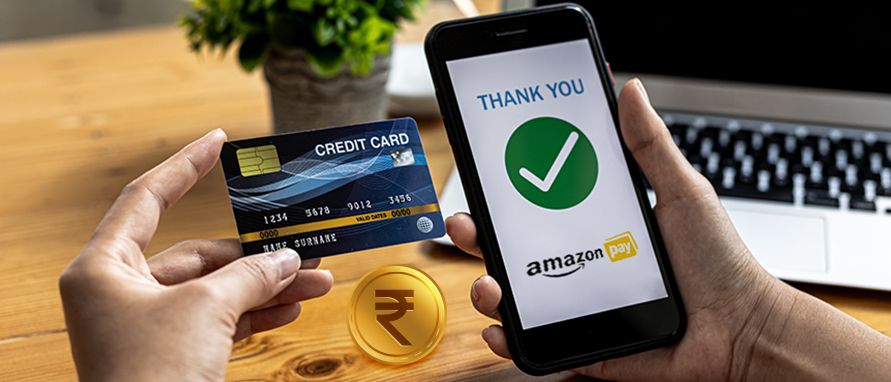
Table of Contents
Amazon Pay Balance is a versatile digital ledger that allows users to store funds for seamless transactions on the Amazon India platform. This balance is technically divided into two distinct components: 'Money', which you can add yourself, and 'Gifts & Credits', which comes from gift cards. According to Amazon’s official help pages, this system helps users manage their household budgets while ensuring that checkout processes remain fast and highly reliable.
Yes, you can add money to Amazon Pay from credit card accounts to ensure your digital wallet is always ready for various payments. This feature is particularly useful for consumers who wish to consolidate their monthly spending or earn reward points offered by their card issuers. As per Amazon's payment guidelines, using a credit card for a wallet top-up provides a convenient financial buffer for users.
Go to Amazon Pay section, select add money, and pick credit card after entering the amount within limits. Major networks like Visa, Mastercard, RuPay from banks such as ICICI or HDFC qualify typically. Complete with issuer OTP for funds to reflect almost instantly in your balance. Watch for cashback offers or card rewards that might apply on loads. Some issuers classify it as cash advance, so review terms beforehand.
Following the correct procedure ensures that your funds are credited instantly and securely to your digital wallet for immediate use across various services.
Start by opening the Amazon India app from your app store or go to amazon.in from your browser. Sign in with your registered phone number, email, or password to reach your account dashboard. Ensure the app is updated to the latest version for smooth navigation.
From the app home, tap on the Amazon Pay icon at bottom menu or search bar. Website users have to click on the Amazon Pay link under accounts and lists menu. This opens the Amazon Pay dashboard showing current balance and services.
Find the prominent 'Add money to Amazon Pay balance' banner or button on screen. Selecting this option will take you to a dedicated page where you can initiate the Amazon Pay wallet top-up process for your account. Verify your current balance before proceeding.
On the 'Add Money' page, you will be prompted to enter the specific numerical value you wish to load into your digital wallet. You can choose from the suggested amounts displayed on the screen or type in a custom figure that fits your specific spending requirements.
After entering the amount, click 'Continue' to see the payment selection page where you must choose the credit card option for the transaction. If you have already saved a card, you can simply select it, or you may choose to add a new credit card manually.
The final step involves a secure redirection to your bank’s 3D-secure page where you must enter the OTP sent to your mobile. This authentication process is a mandatory security measure to ensure that the Amazon Pay wallet recharge is authorised by the cardholder.
Once you enter the correct OTP and click submit, the amount will be instantly debited from your card and added to your balance.
Limits on add money to Amazon Pay from credit card follow RBI semi-closed wallet rules based on KYC. The limits for adding funds are primarily determined by the Know Your Customer (KYC) status associated with your specific Amazon Pay account profile. For users who have completed only the basic or 'Minimum KYC', the monthly limit for adding money is generally restricted to ₹10,000.
According to Amazon's official documentation, this lower limit is designed to provide basic functionality while adhering to the initial regulatory requirements for digital wallets. If you choose to complete the 'Full KYC' process through a video call or doorstep verification, your wallet limits will increase significantly. Users with a verified Full KYC account can hold a balance of up to ₹1 Lakhin their Amazon Pay Money account at any time.
Generally, Amazon applies no platform fee for Amazon Pay wallet top-up via credit card. Your bank might add costs treating it like cash withdrawal or a card transaction. Hence, it is essential to understand the fee structure that may apply to these specific wallet transactions.
Transaction Type |
Applicable Charges |
Via UPI |
Zero charges |
Via Net Banking |
Zero charges |
Via Debit Card |
Zero charges |
Via Credit Card |
Issuer’s convenience fee may apply (~2%–2.5%) |
GST |
18% on bank fee if charged |
Maintaining a healthy balance in your Amazon Pay wallet offers several advantages that enhance your overall shopping and bill payment experience in India.
You can use your Amazon Pay balance across a wide range of everyday payments and purchases, making transactions quick, convenient, and seamless.
Use your Amazon Pay balance at checkout for daily essentials, fashion, gadgets, and more. It is applied automatically and can cover the full amount or part of it.
Pay electricity, water, and other utility bills directly using your balance. It helps you clear dues on time and avoid late payment charges.
Recharge your prepaid or postpaid mobile number with providers like Jio, Airtel, and Vodafone Idea. The payment is completed quickly, and your service continues without interruption.
Renew your DTH packs easily for services such as Tata Play and Sun Direct. Simply choose your provider and recharge amount for a smooth, hassle-free payment.
Use your balance at partner merchants like Swiggy and BigBasket for food and grocery purchases. You can scan a QR code or choose Amazon Pay at checkout, and offers may still apply
To maximize the value of your loaded funds, you should adopt a few strategic habits that align with Amazon’s rewarding ecosystem and policies.
Yes, Amazon officially allows adding money to your Amazon Pay balance using credit cards, along with UPI, debit cards, and net banking. However, availability may depend on transaction type or issuer policies, and some banks may treat wallet loading differently for rewards or charges.
Go to the Amazon app or website, open the Amazon Pay section, and select “Add Money.” Enter the amount, choose a payment method, and complete the transaction, which is usually credited instantly.
For minimum KYC accounts, you can load up to ₹10,000 per month and ₹1,20,000 annually. After completing full KYC, the wallet limit increases up to ₹2,00,000, along with higher monthly load allowances.
Amazon does not charge any fees for adding money to your Amazon Pay balance. However, your bank or card provider may apply applicable charges depending on the payment method used.
Yes, adding money to Amazon Pay is generally safe and secure. It utilises advanced encryption, industry-standard security (like PCI DSS), and offers buyer protection to safeguard your transactions and personal information.


Most Viewed

Academy by Bajaj Markets

 47202
47202

Navigate the tax maze with ease! Uncover Income Tax 101, demystify jargon with Terms for Beginners, and choose between Old or New Regimes.
 165541
Unlock the world of credit! From picking the perfect card to savvy loan management, navigate wisely.
 97881
97881
Money Management and Financial Planning covers personal finance basics, setting goals, budgeting...
 28606
28606
Explore the investment cosmos! From beginner's guides to sharp-witted strategies, explore India's treasure trove of options.
 18764
18764
Discover essential insights on various types of insurance in India.
 4584
4584
Welcome to Tech in Finance, where we explore the exciting intersection of technology and finance...












 Academy




